
Part 1: Get the Downloader app on Firestick
1. Open the FireStick home screen.
2. Go to the Find menu page.
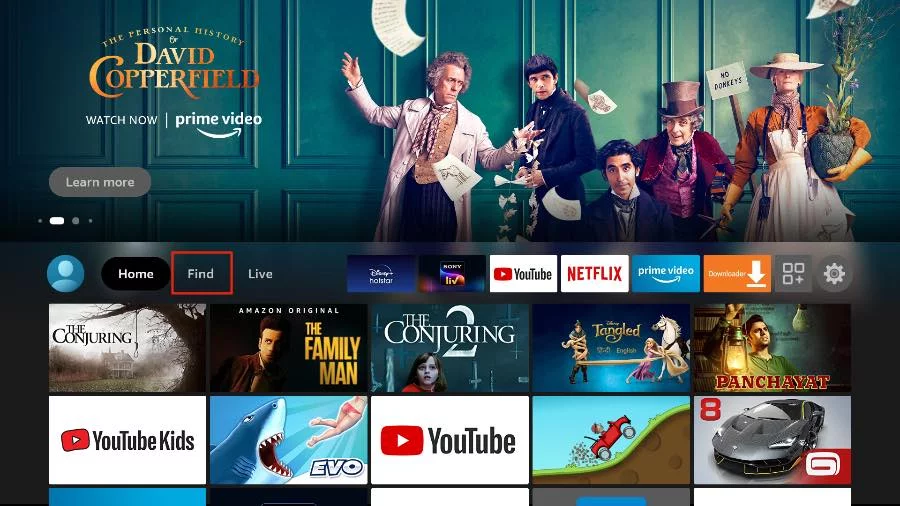
3. Select Search at the top.
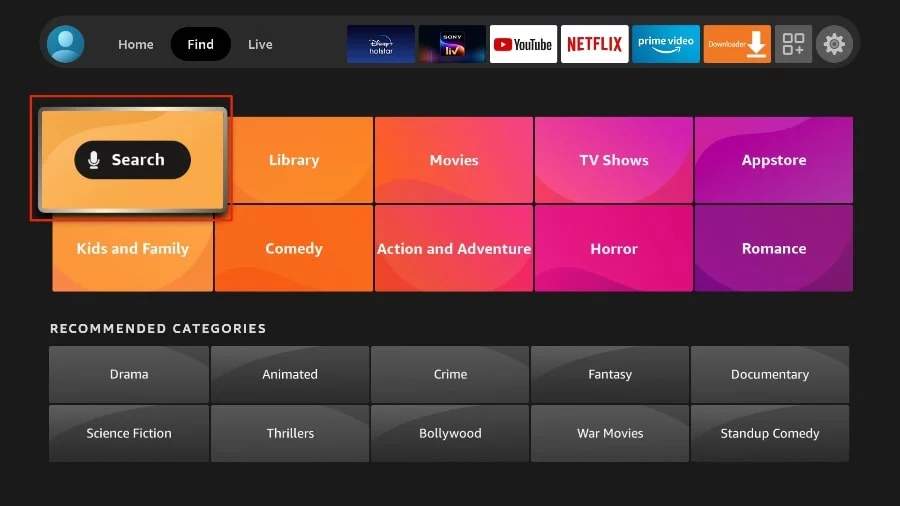
4. This will open a virtual keyboard on your FireStick.
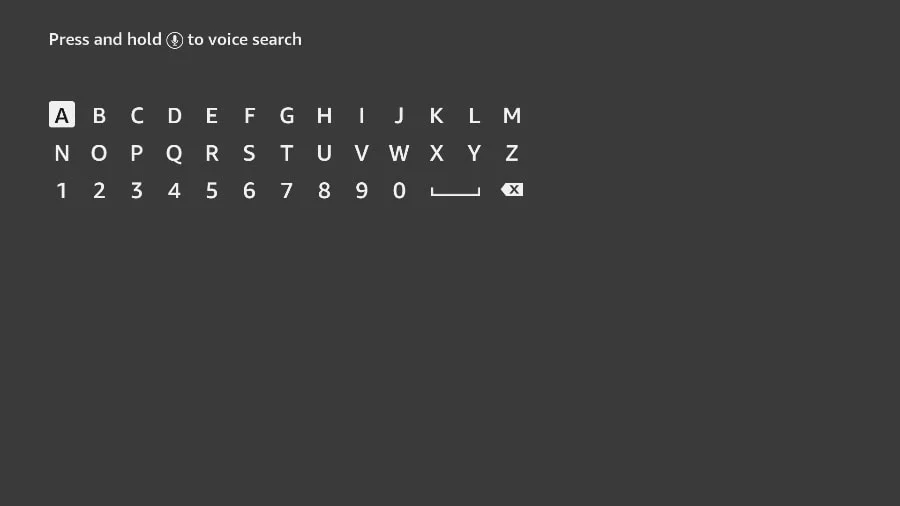
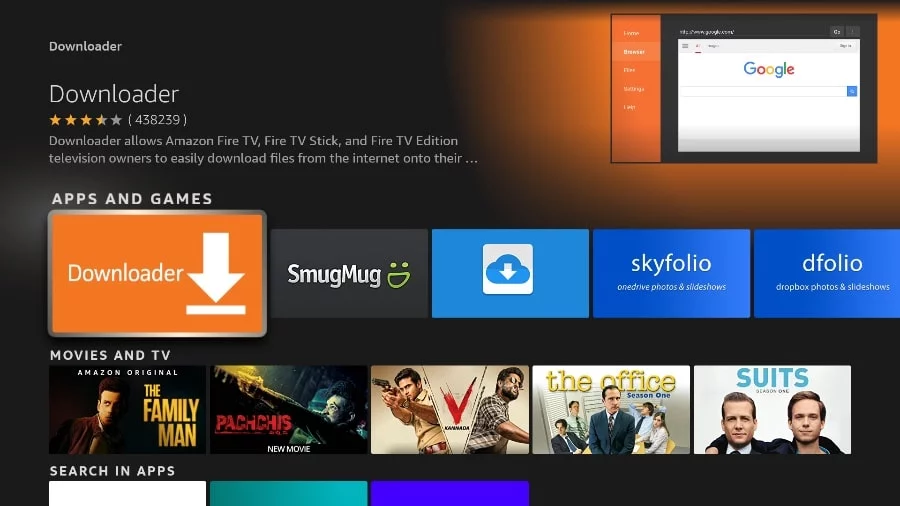
5. Start typing Downloader. Select Downloader when it appears among the suggestions below the keyboard.
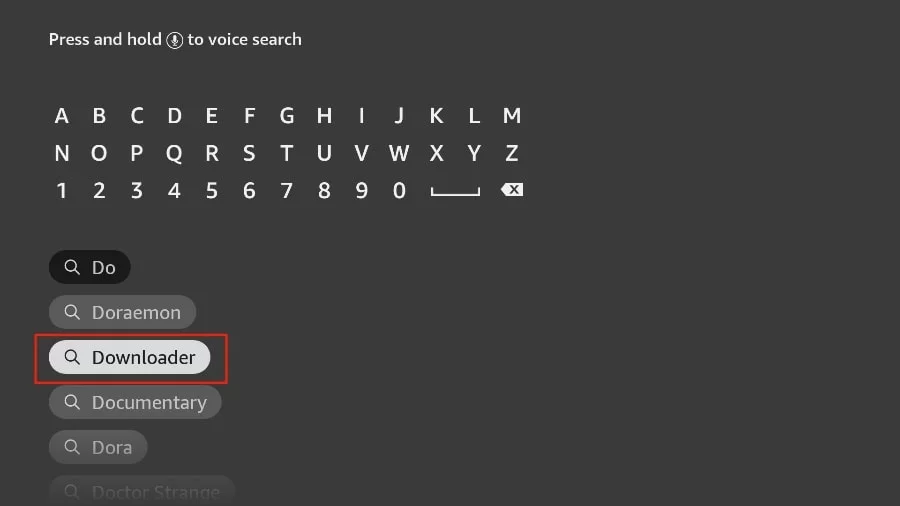
6. Select the Downloader application, recognizable by its orange background. Then, in the next screen, select the Get or Download button.
Part 2: Change Firestick Settings
In some version of FireStick
1. Press home button on your FireStick remote.
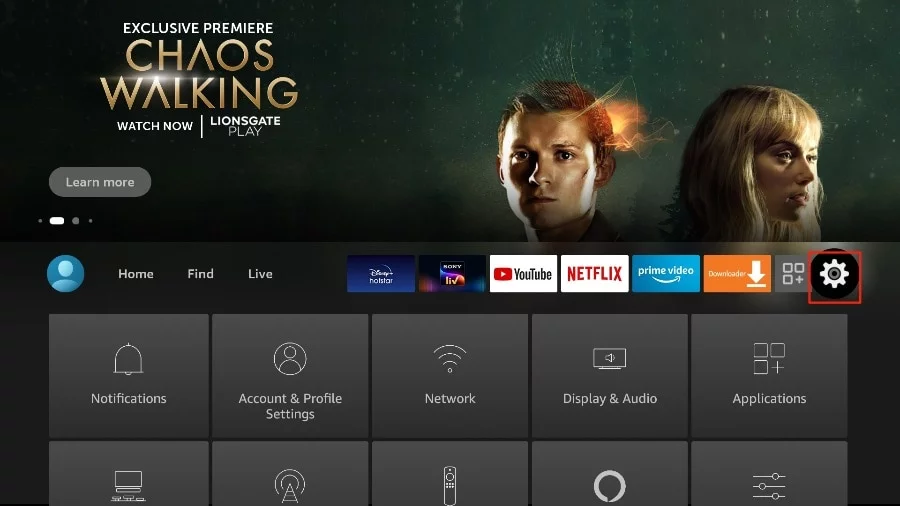
2. Go to the gear settings page on the far right.
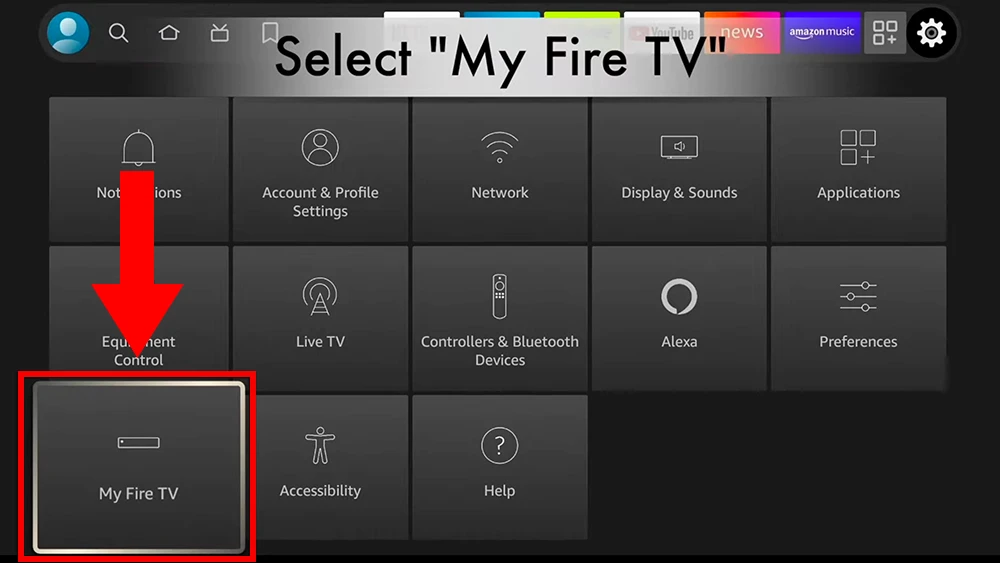
3. Scroll down and select "My Fire TV".
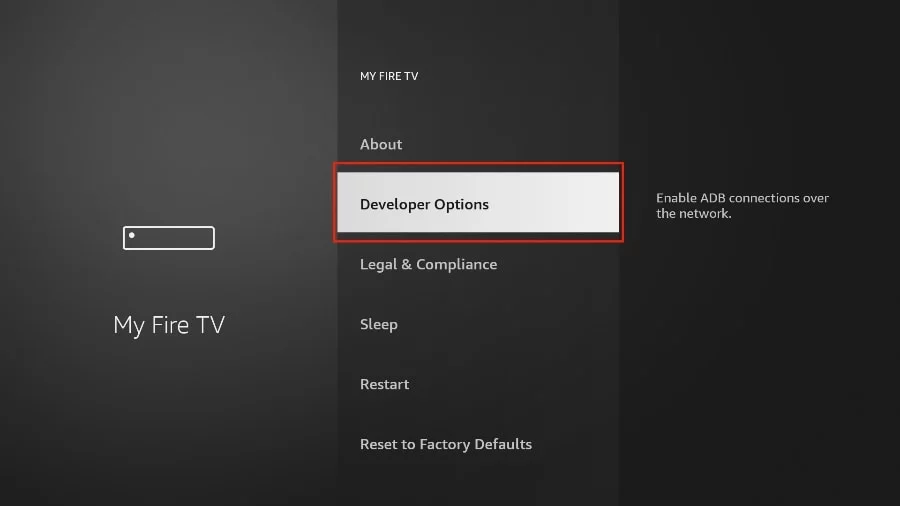
4. Choose "Developer Options".
5. Find "Apps from Unknown Sources". By default, it is disabled. Select it to turn it ON.
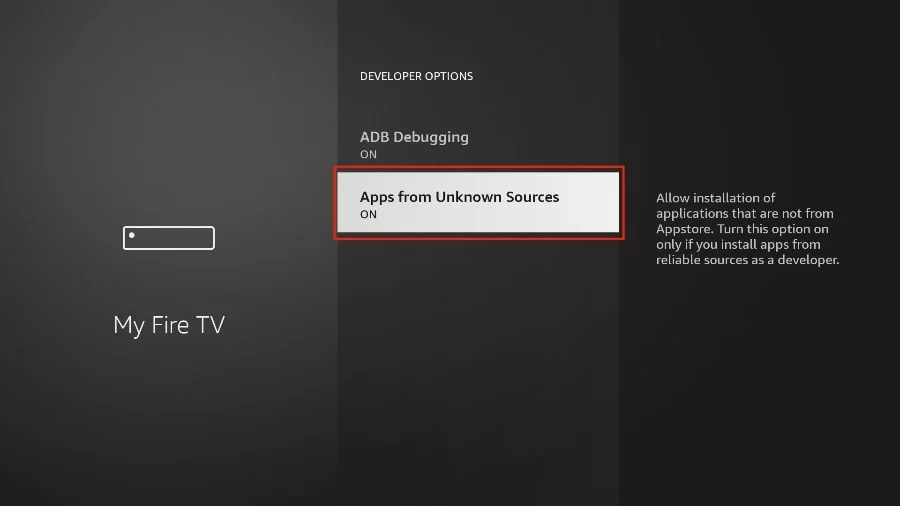
You can now sideload any application installer file (APK) to the FireStick without any issues.
In Other version of FireStick
1. Press home button on your FireStick remote.
2. Go to the gear settings page on the far right.
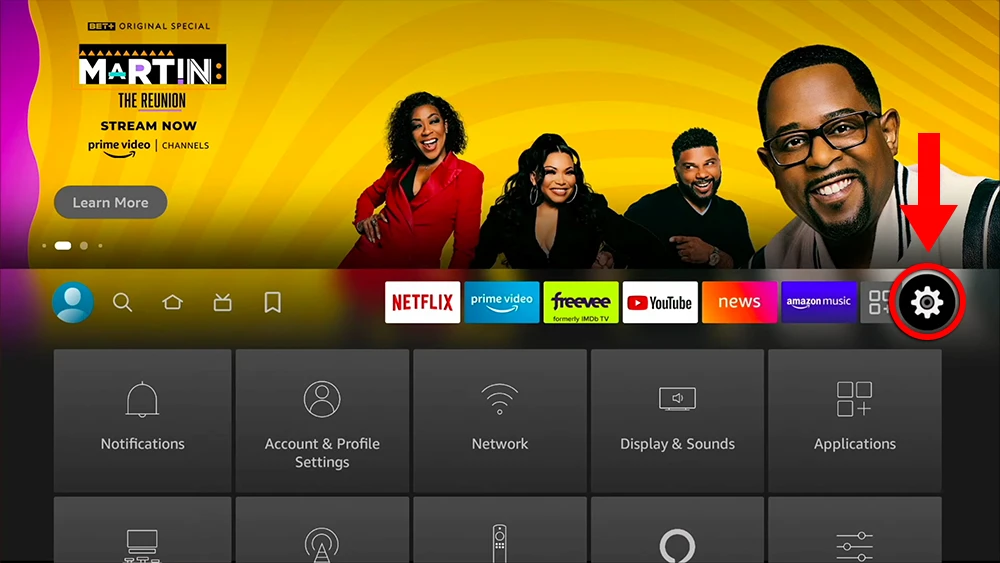
3. Scroll down and select "My Fire TV".
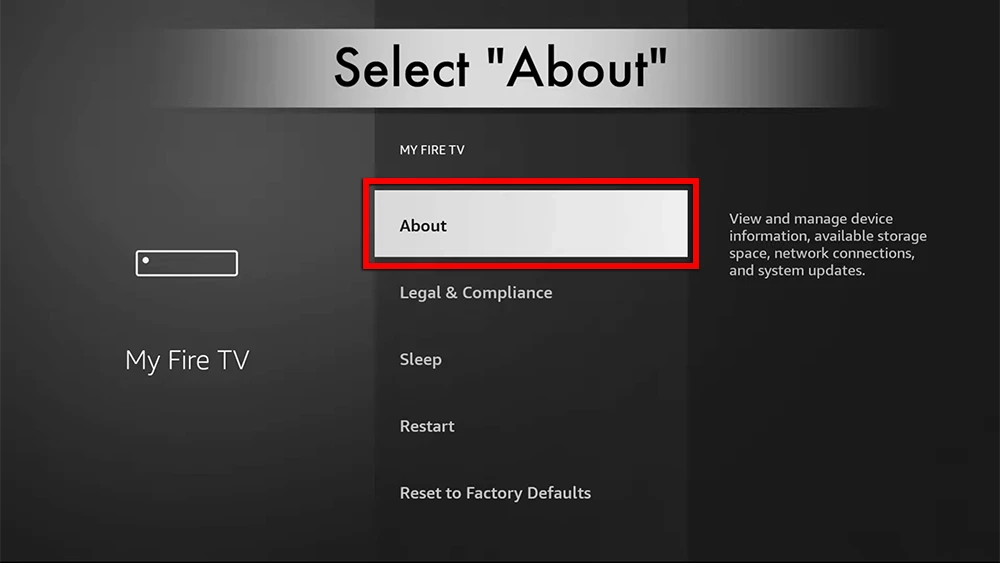
4. Select "About".
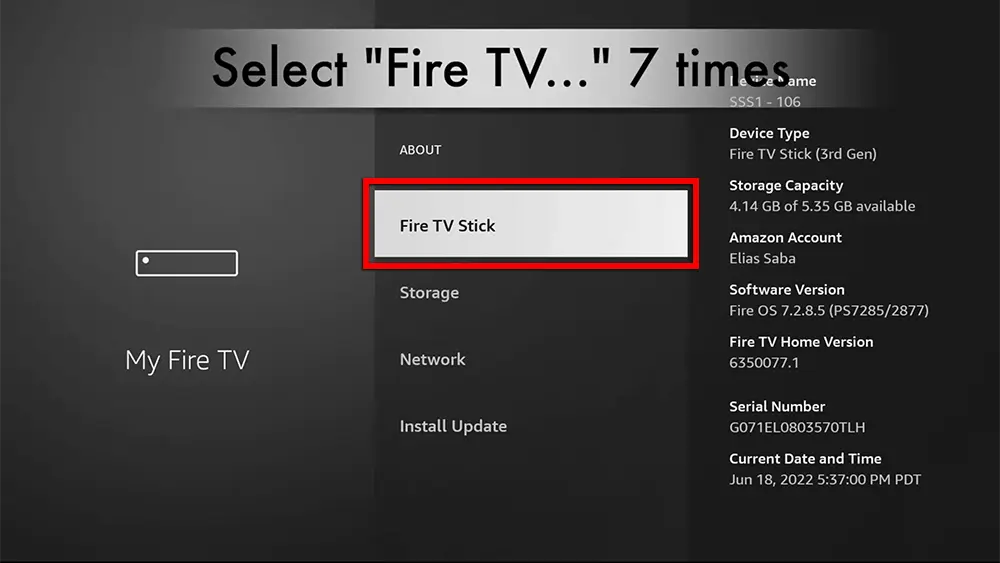
5. Click on "Fire TV Stick" 7 times.
6. Choose "Developer Options".
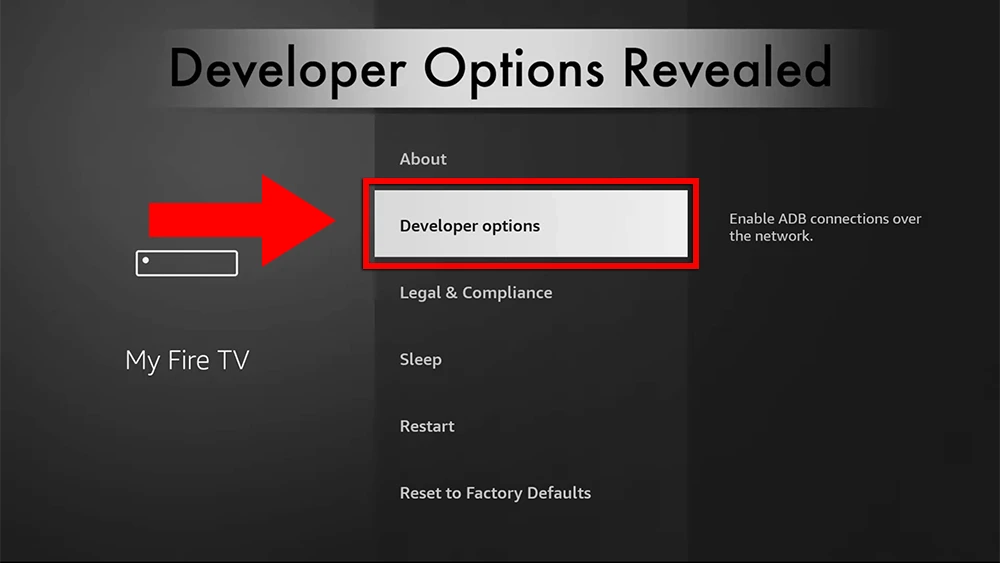
7. Select "ADB debugging" to turn it ON.
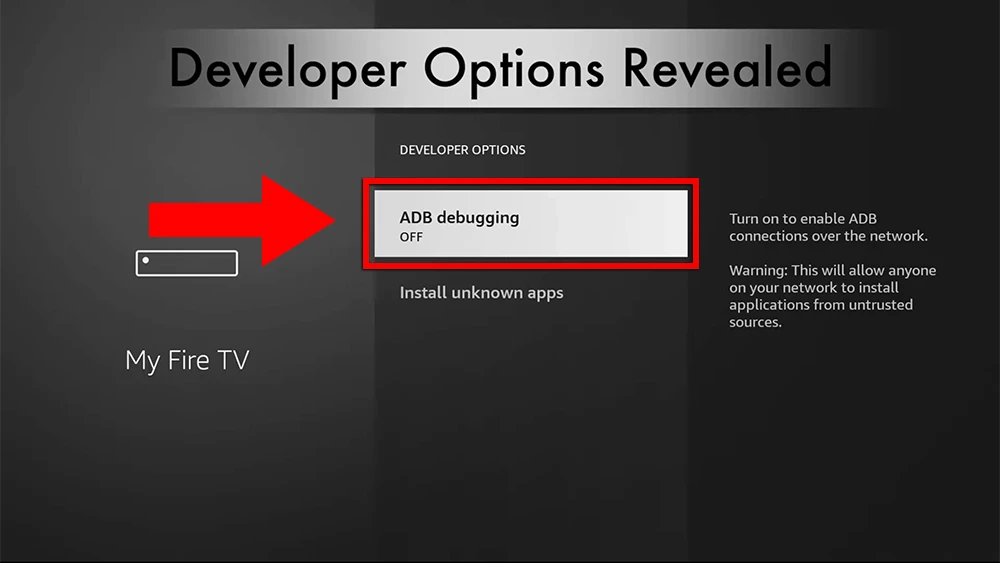
You can now sideload any application installer file (APK) to the FireStick without any issues.
Part 3: Use the Downloader app to install one of the below IPTV apps on your Firestick
Here are the popular Firestick apps

ibo Pro Player (Paid)
IBO Pro Player is a lightweight IPTV player with a 7-day free trial. Install it easily using Downloader Code: 481220, then activate it with a one-time lifetime payment.
Learn More
TiviMate (Paid)
TiviMate is considered a paid app and it comes highly recommended for its advanced features (Recording, Picture-in-Picture...). With a single premium subscription, you can use the app on a maximum of 5 devices.
Learn More
IPTV Smarters Pro (Free)
IPTV Smarters Pro is a free IPTV app to watch live TV, Movies & Series.
Learn More
HotPlayer (Paid)
HotPlayer is another solid IPTV player for live TV, movies, and series. Install it using Downloader Code: 395800 and then add your playlist details inside the app.
P.S. Feel free to use any IPTV app or device you like. Our service is fully compatible with most IPTV players and streaming devices. The apps above are only our recommended options for the best performance and user experience.