
Here's a quick guide to set up IPTV on Roku
To begin using the StreamVista service on your Roku device, simply follow the steps below.
1 Install App
- Search for IBO Player Pro and install it on your Roku device.

2 Open App
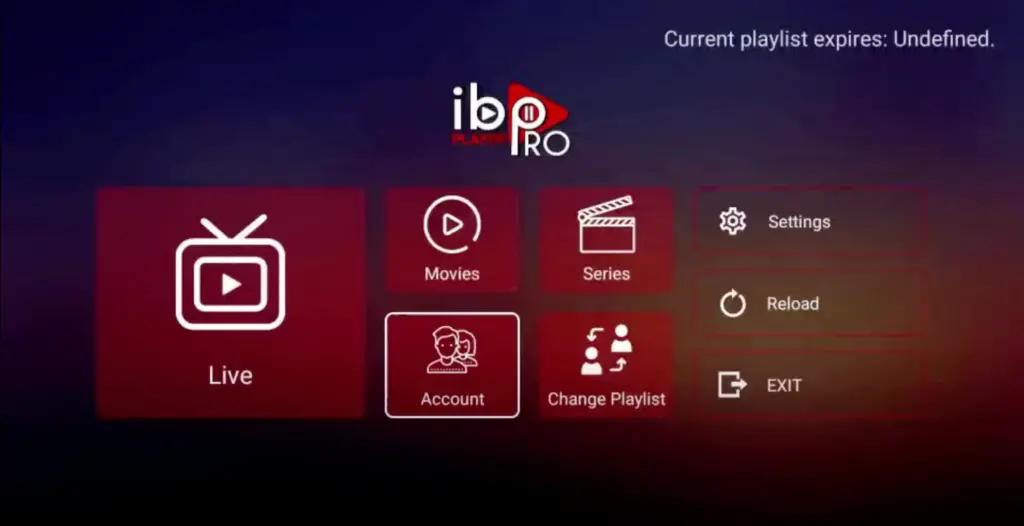
- Open the app once installed and click on the login option.
3 Visit Website
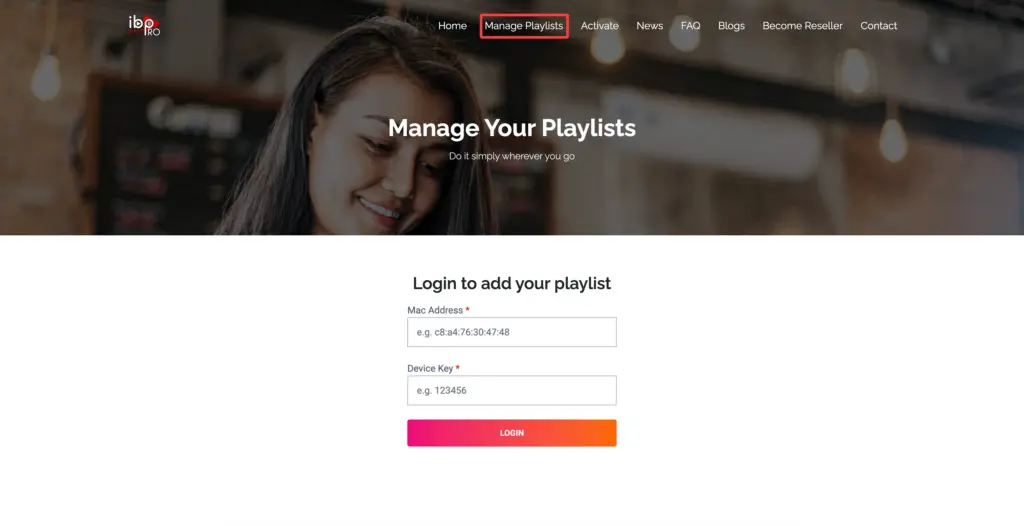
- Visit the IBO Player Pro website and copy the device information shown on the screen.
4 Add XC Playlist
- Click Add XC Playlist and enter your login details in the required fields.
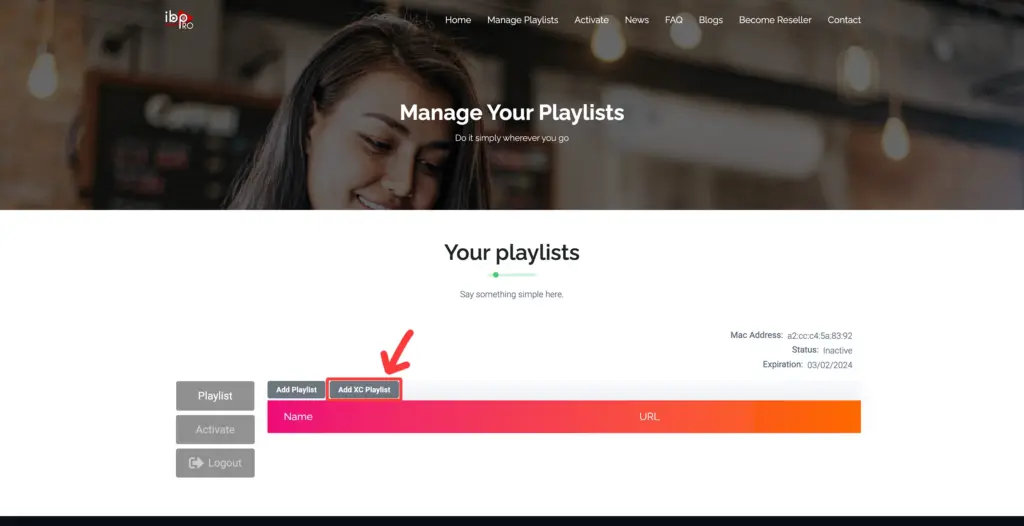
Quick Setup: Roku Playlist Configuration
There are two ways to do this: either using the XC playlist or by entering your login details manually. For a smoother setup experience, we recommend using the XC playlist because it keeps your channels organized and loads faster.
5 Enter Details
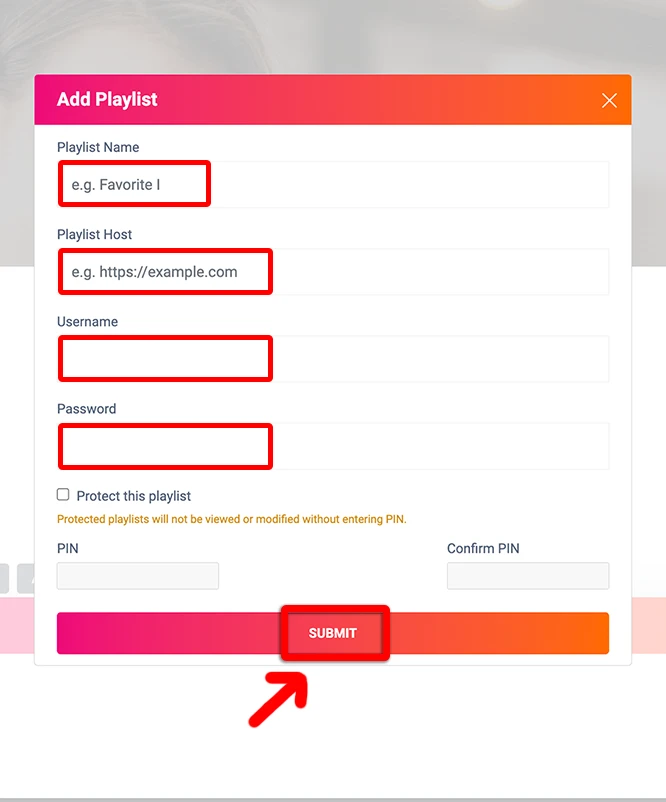
- Enter the playlist name in the first box, then fill the next fields with the information provided by us.
6 Enjoy
- Once the playlist loads, your channels will appear and you can start watching.

NOTE: Use your provider’s playlist details or XC login credentials to activate the app, then wait for the content to load.
Congratulations! You’ve now completed the setup on your Roku TV for seamless streaming.