
Set Up IPTV on MYTV Online 2 / 3
This version uses responsive text so the step labels and descriptions stay readable on mobile, tablet, and desktop.
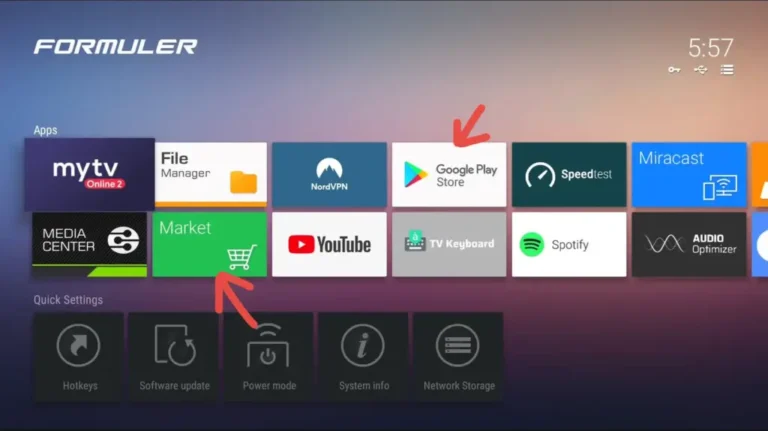
1 Open MYTV Online 2
- Launch MYTV Online 2 from the Formuler home screen.
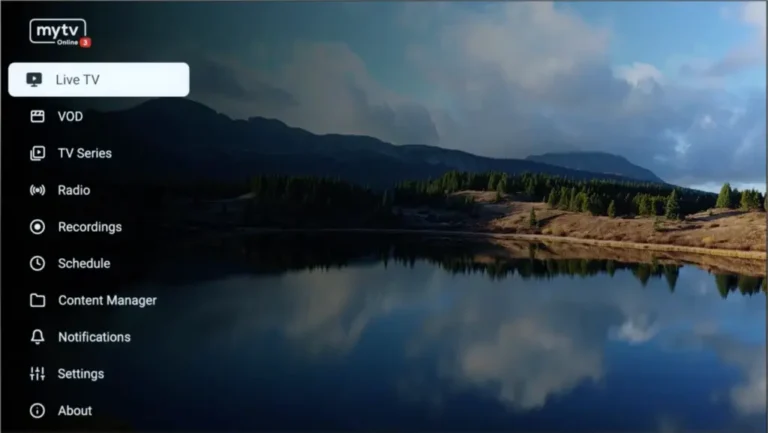
2 Open MYTV Online 3
- Launch MYTV Online 3 if your device uses the newer interface.
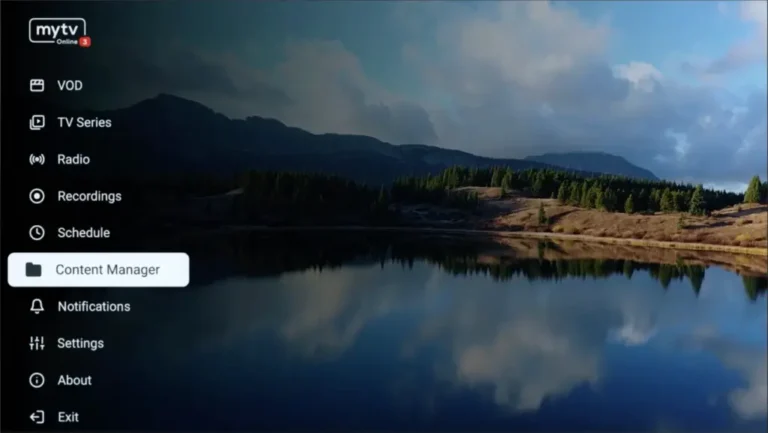
3 Go to Content Manager
- Open the menu and select Content Manager.
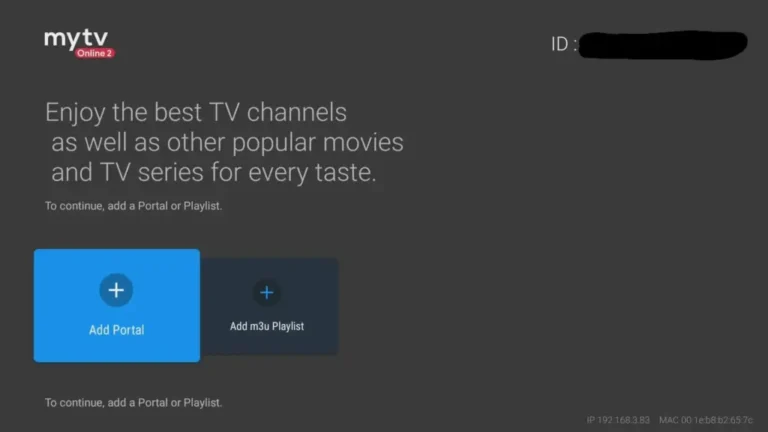
4 Open Connections
- In MYTV Online 2, go to Menu → Connections.
5 Continue Content Manager
- In MYTV Online 3, continue from Content Manager into the source list.
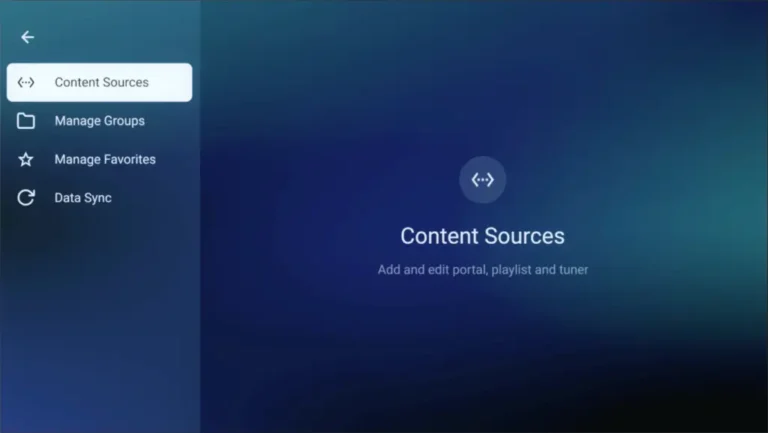
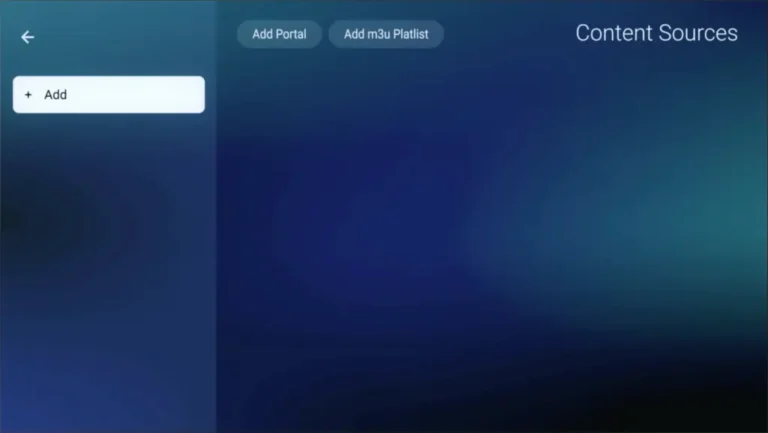
6 Add Portal
- Select Add Portal to create a new portal connection.
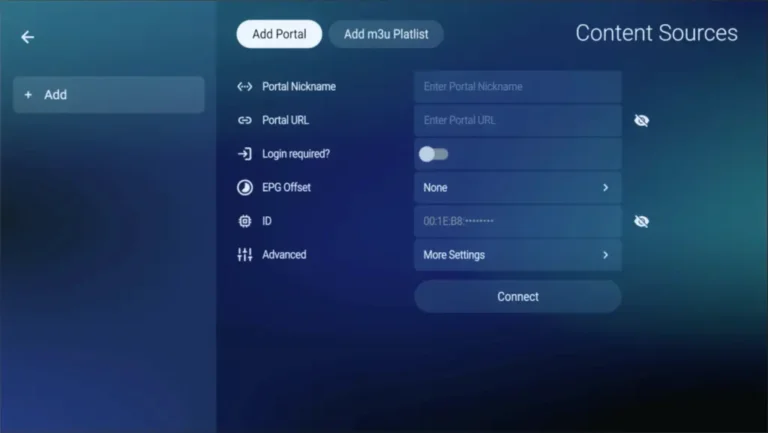
7 Enter Portal Details
- Fill in the portal nickname and portal URL.
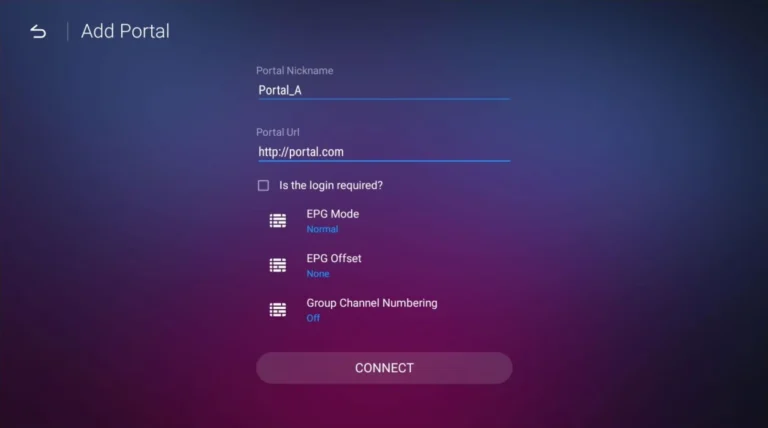
8 Confirm Entries
- Review the portal details before saving.
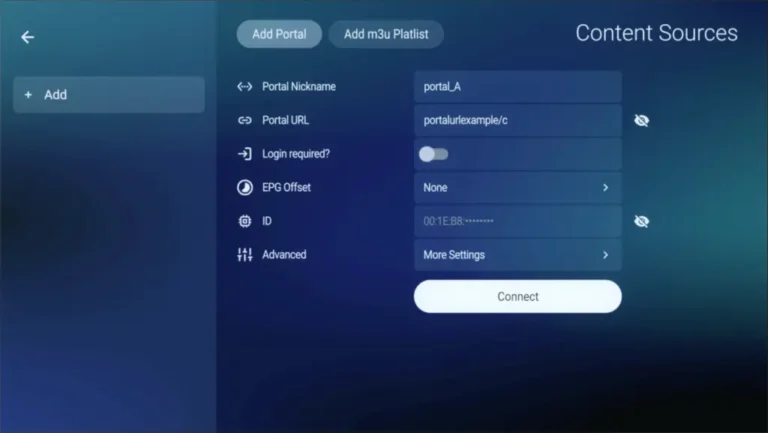
Final Setup
- Press Connect to save the portal and start loading channels.
- If required, register your MAC or ID with the IPTV provider before connecting.

Final step: Once the portal syncs, the channels will appear and setup is complete.