
Set Up IPTV on BuzzTV Box
This layout matches the tutorial flow from the page: first the Live TV path, then the Settings → Servers path, using the same images in the correct order.
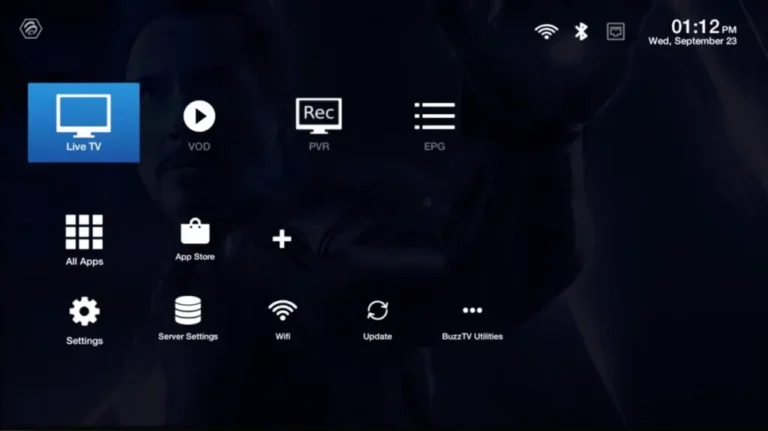
1 Go to Live TV
- Open the Live TV section from the main screen.
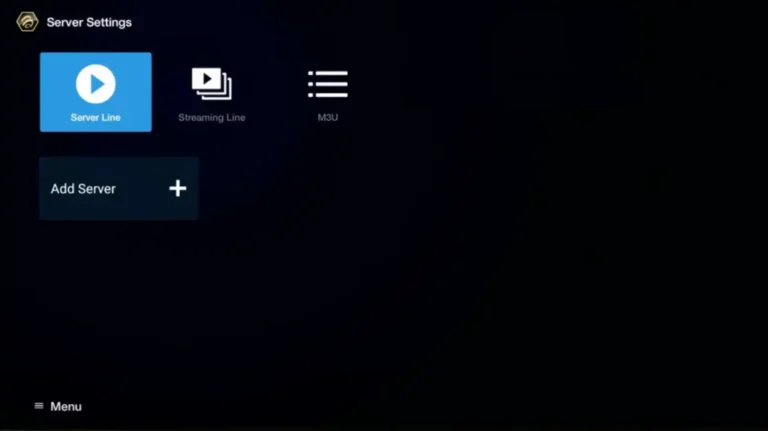
2 Select Server Line
- Choose Server Line or MAC Server.
3 Add Server
- Click on Add Server or Add MAC Server.
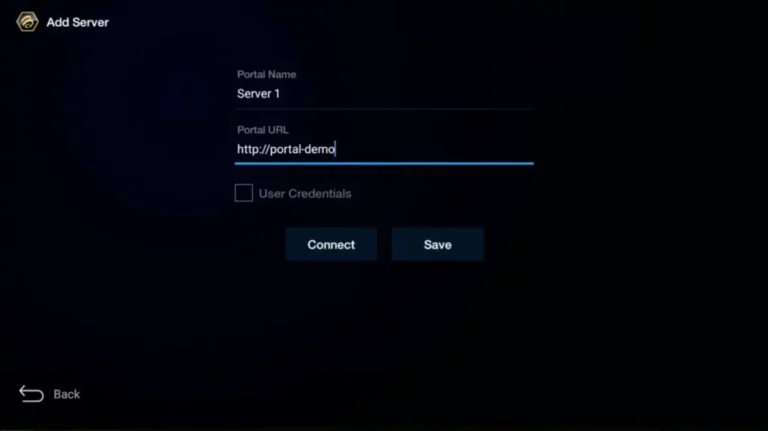
4 Enter Portal Details
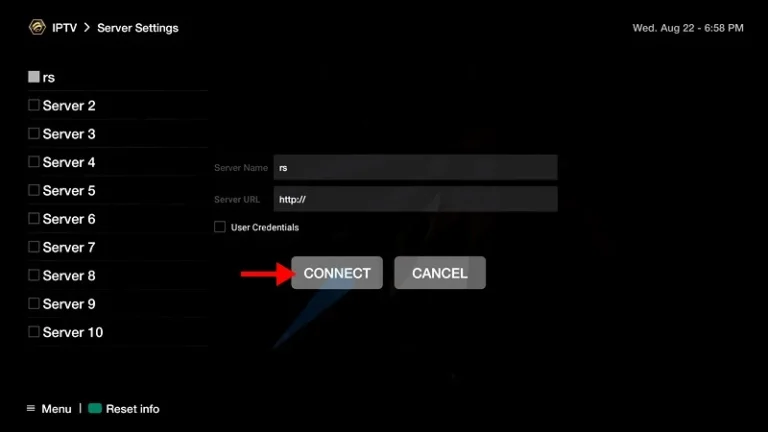
- Enter StreamVista as the Portal Nickname, then paste the Portal URL and click CONNECT.
After Activation
- Submit the MAC address form after payment if your provider asks for it.
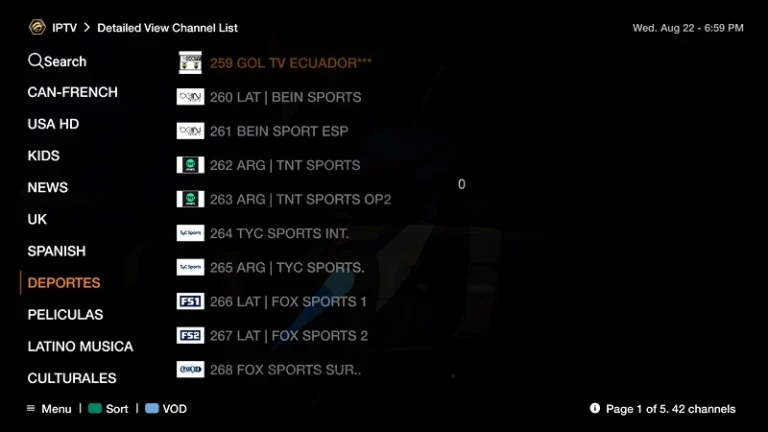
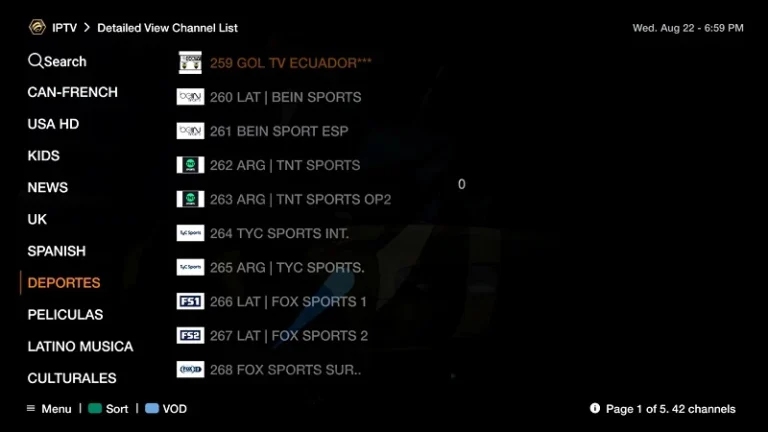
- Once the portal connects, the channels will load and the setup is complete.
Another Setup
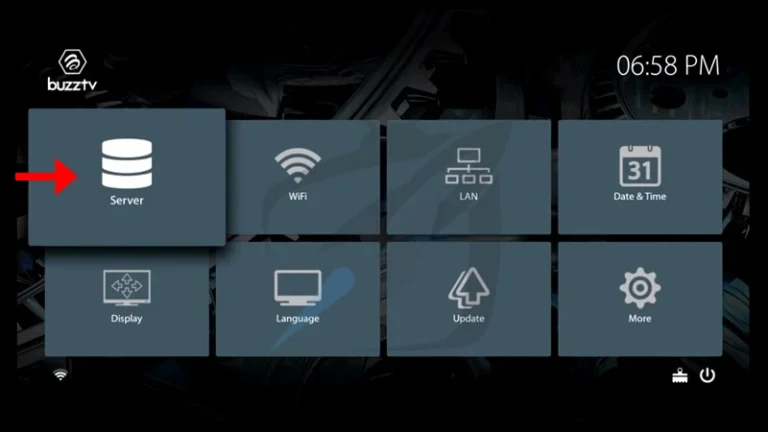
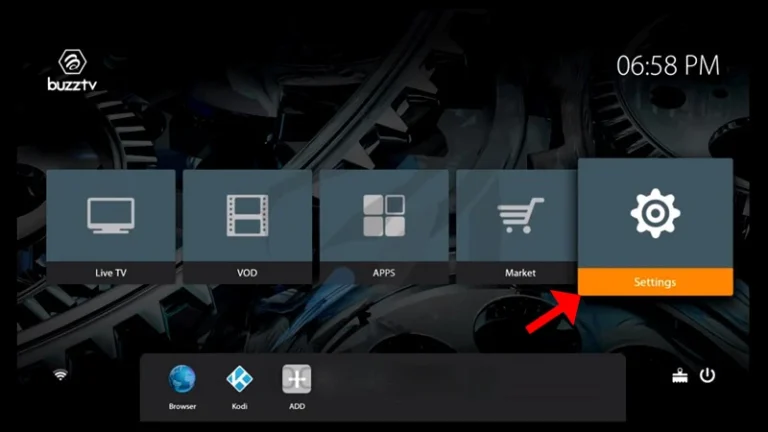
- On the main menu, click on Settings.
- Then click on Servers and continue to the next step.
- Enter StreamVista as the Server Name and paste the Portal URL.
- Click CONNECT to finish.
Final step: The images now follow the tutorial order shown in the page screenshot, with the first BuzzTV setup and the alternate setup separated into their own sections.