
Install IPTV on IBO Player Pro for Fire TV Stick
Set up IBO Player Pro on your Fire TV Stick with an M3U Playlist or Xtream Codes. This complete guide includes screenshots, playlist upload, EPG configuration, and solutions to common issues.
Install IPTV on IBO Player Pro for Fire TV Stick
Set up IBO Player Pro on your Fire TV Stick with an M3U Playlist or Xtream Codes. This complete guide includes screenshots, playlist upload, EPG configuration, and solutions to common issues.
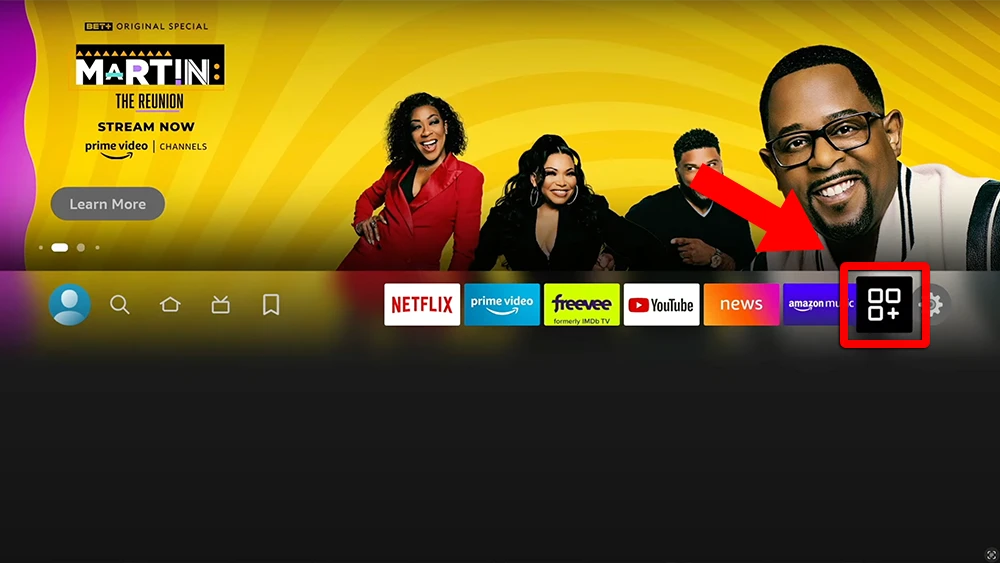
1 FireStick Home
- Go to the Apps menu page from the FireStick Home page.
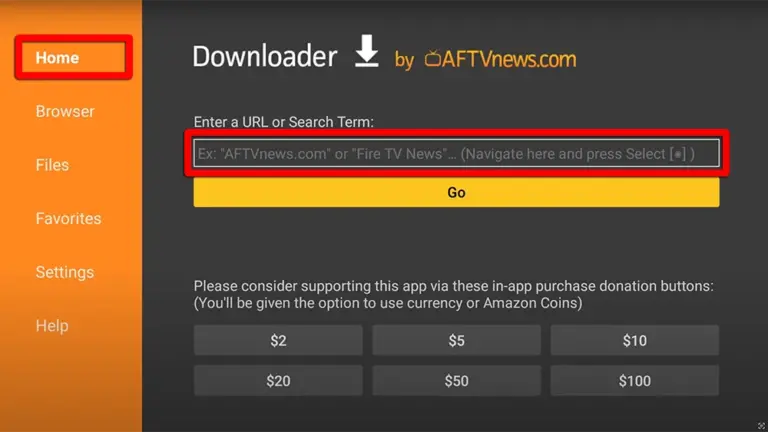
2 Downloader App
- Open the Downloader app and select Enter a URL on the Home screen.
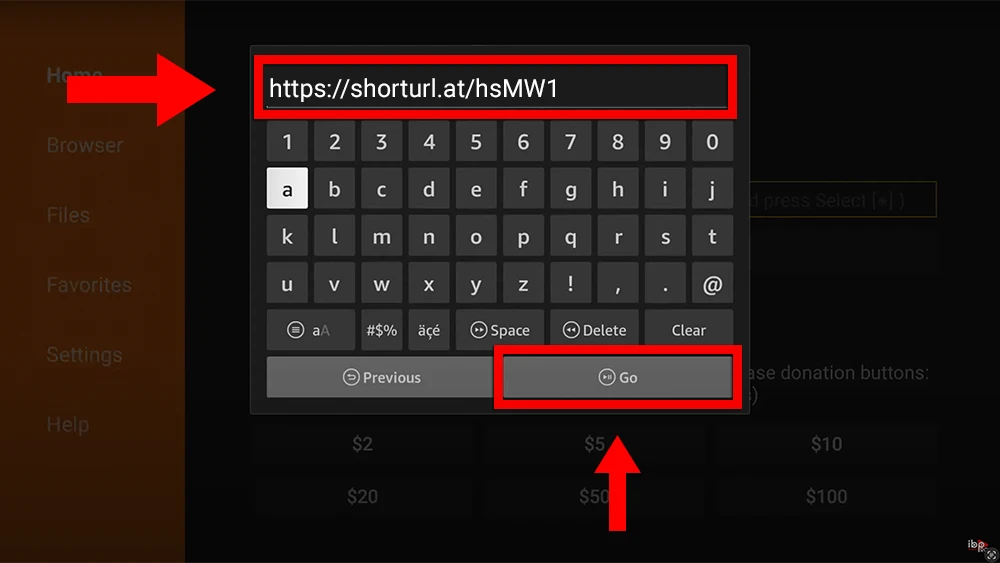
4 Install App
- Click Install when prompted.
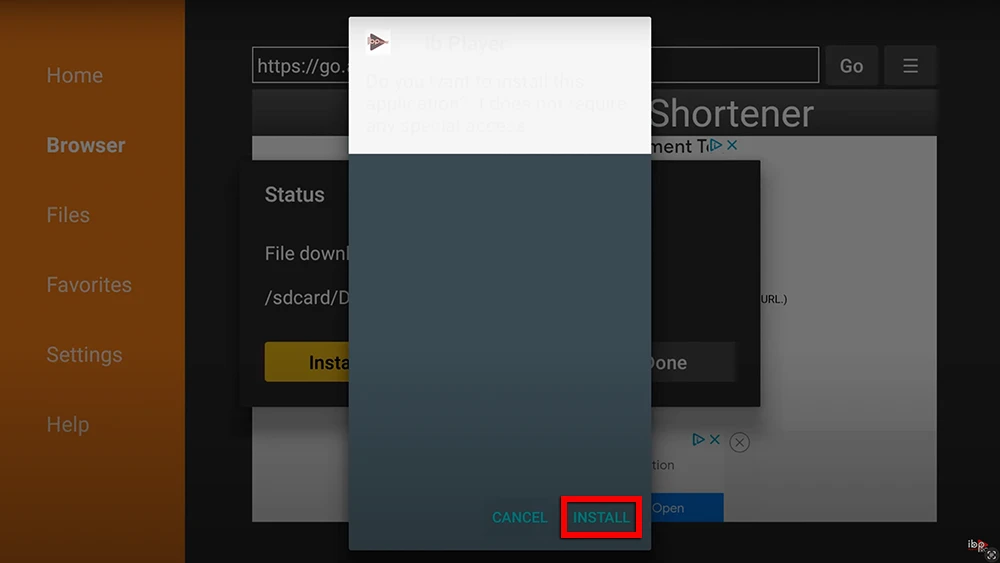
Effortless Configuration Guide for ibo Player Pro: Enjoy Your IPTV Instantly
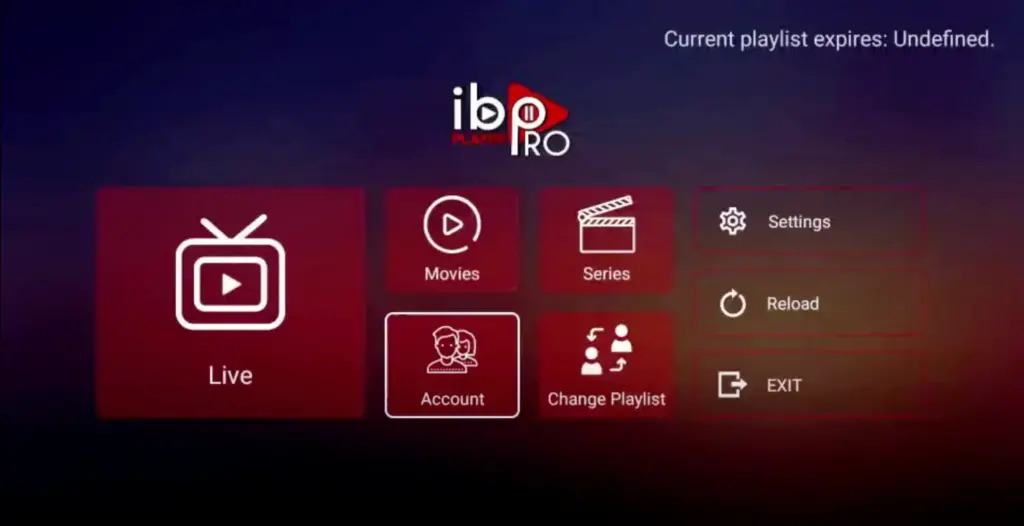
1 Open the App
- Click on “Account” to see an activation screen displaying a unique activation code (MAC Address and Device Key).
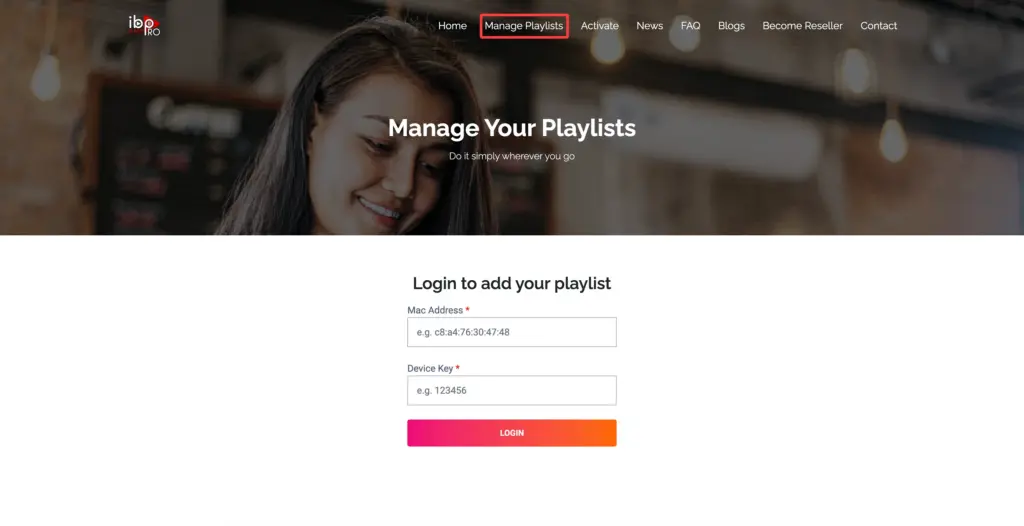
2 Manage Playlists
- Visit the IBO Player Pro website: https://iboproapp.com and click “Manage Playlists” in the Menu section. Then enter the MAC Address and Device Key displayed on your device screen and click “Login”.
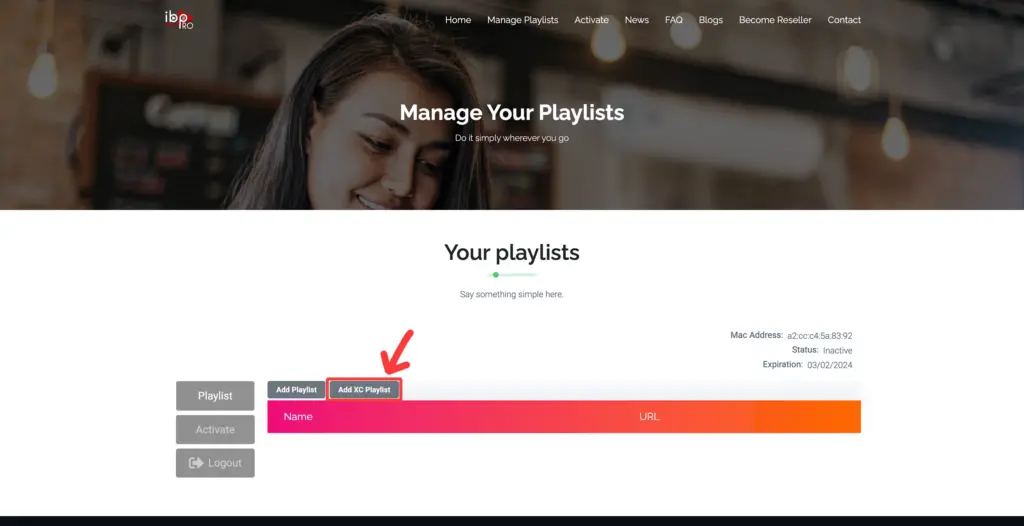
3 Add XC Playlist
- Click “Add XC Playlist” (recommended way).
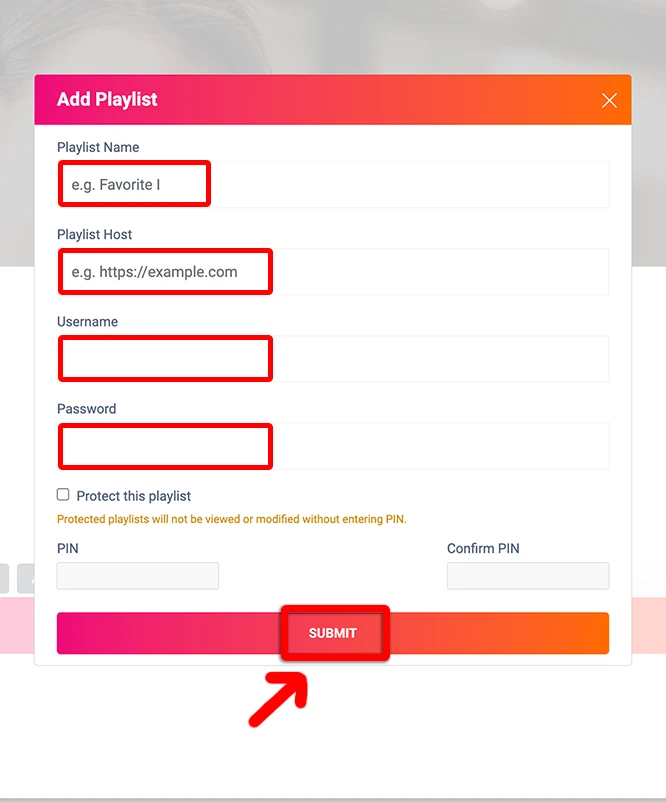
4 Playlist Details
- Enter “StreamVista” as the Playlist Name in the first box. In the second, third, and fourth boxes, input the Xtream Codes login credentials (Server address / Playlist Host, Username, and Password) provided after subscribing. Finally, click “Submit” to proceed. Get your Subscription Here.
5 Restart App
- After activation, return to your device and restart the ibo Pro Player app for the changes to take effect. Then select “Continue”, followed by “Change Playlists”, and connect to your StreamVista playlist. Have a great time!
NOTE: The app has a 7-day trial period; when it expires, go to https://iboproapp.com/manage-playlists, log in with the MAC Address and Device Key from your app, then pay the one-time fee.
Congratulations! You’ve now completed the setup of the ibo Player Pro app for seamless streaming.